BeatLast is a free gym log that shows last session's exact numbers next to every set, so beating them is the obvious next move. There is no app store, no paywall, and no account form. You sign in with Google, build a routine, and start logging. This walkthrough takes you from an empty screen to your first saved workout, using only features the app actually has.
How do you sign in to BeatLast?
Open beatlast.vercel.app and tap sign in with Google. That is the whole account step. There is no email verification, no password to forget, and nothing to confirm in your inbox. Google handles the login, and you land straight in the app ready to build your first routine.
Because sign-in is Google only, your workouts follow you to any device where you log in with the same account. Phone at the gym, laptop at home, same history.
How do you add BeatLast to your home screen?
BeatLast is a progressive web app, so you install it from the browser instead of an app store. On your phone, open the browser menu and choose "Add to Home Screen." An icon appears next to your other apps, and it opens full screen with no address bar, exactly like a native app.
This matters in a gym with patchy signal. Once loaded, BeatLast works offline: your in-progress workout is stored on the device as you log, so a dead spot between sets never loses your data. It saves to the cloud when you finish and have a connection.
How do you create a routine and schedule your week?
Head to Routines and create one, for example "Push Day." Add the exercises you want from the search list, which includes a big set of common lifts out of the box. If something you do isn't there, add it as a custom exercise once and it stays in your library for good. The routine is your template, it defines what a given training day looks like before you ever pick up a weight.
Order matters more than it looks. Put your compound lifts first, the bench press, overhead press, squat, deadlift, rows, the moves that recruit the most muscle and demand the most energy. Do those while you're fresh, then let the isolation work like curls, lateral raises, or leg extensions come after. Dragging exercises into that order in the routine editor means every session starts you on the lifts that drive the most progress, instead of burning out on accessories first.
Then set a target number of sets and reps for each exercise. These targets aren't a contract, they're a prompt: a reminder of what you're aiming for so you're not deciding rep ranges mid-set with a bar in your hands. Three sets of 8 to 12 is a sensible default for most muscle-building work, while lower reps at heavier loads lean toward strength. If you want to reason about this properly rather than copy a template, our guide to reps and sets covers choosing ranges for strength versus muscle.
Assign routines to weekdays
On the same screen there is a Monday to Sunday schedule strip. Assign each routine to the days you train it, say Push on Monday, Pull on Wednesday, Legs on Friday. Now the app knows what today is supposed to be, and rest days simply stay empty. There's no pressure to fill all seven days, a three or four day week is plenty when you're starting, and the empty days are a feature, not a gap you need to plug.
How do you log your first workout?
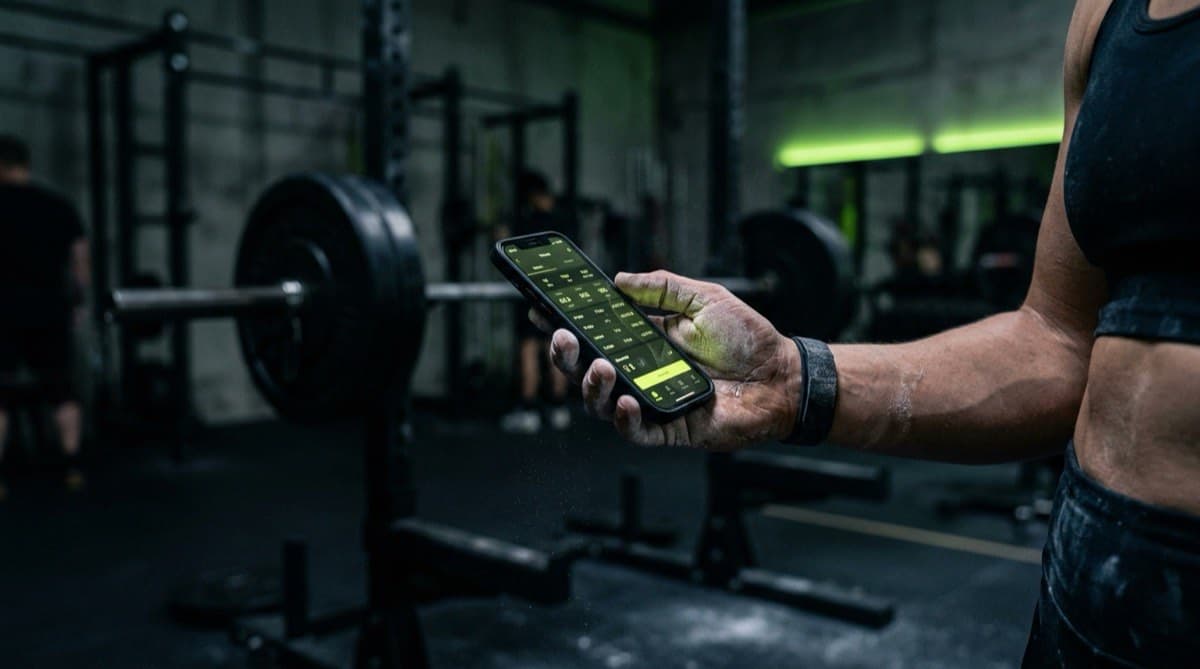
On a training day, open Today. It shows the routine scheduled for that weekday plus your recent workouts. Start it, and you are in the active workout screen where the real value shows up: beside each set you log, BeatLast displays what you did last time for that same exercise, the exact reps and weight in kg.
That side-by-side view is the point. Two numbers sit next to each set, last time's weight and last time's reps, and your job is simply to match or nudge past them. You never track from memory or guess whether last week was 60 kg or 62.5. The target sits right there, so you just try to add a rep or a little weight. That is progressive overload happening without any spreadsheet maths.
So how do you decide whether to add weight or add reps? A simple rule works for most people: stay at the same weight and add reps until you reach the top of your target range across all your sets, then add a small amount of weight and let the reps drop back to the bottom of the range. If last week you hit 60 kg for 8, 8, 8 and your target was 8 to 12, chase 60 kg for more reps this week. Once you're getting 60 kg for 12, 12, 12, bump to 62.5 kg and start climbing again from the bottom. Small jumps beat big ones, adding 2.5 kg you can control is real progress, while adding 10 kg you have to heave is just ego. If a lift feels like it's flying up, one more rep is the answer; if it's grinding, hold the weight and win the rep count instead. For a gentler on-ramp to all of this, progressive overload for beginners is worth a read.
Link exercises into a superset
Doing two exercises back to back? Link two adjacent exercises into a superset. They group into a single unit that shares one rest timer, so you can alternate between them the way you actually train instead of logging them as two unrelated blocks.
Use the rest timer
After a set, the rest timer starts so you rest a consistent amount rather than guessing. Consistent rest is quietly one of the biggest levers on your numbers, rest too little and your reps fall for reasons that have nothing to do with your actual strength, muddying whether you're really improving week to week. If you switch away from the app while it counts down, it sends a notification when your rest is up, so you can pocket the phone between sets and still hit the bar on time. If you're not sure how long to rest, how long to rest between sets breaks it down by goal.
How do you log a past workout?
Not every session you want to track happened after you installed the app. Maybe you've been training for months and want a bit of history to compare against, or you smashed a session at a friend's gym and logged it on paper. BeatLast lets you backfill it. When you log or edit a workout, a date picker lets you set it to any day, so a session from last Tuesday lands on last Tuesday, not today.
This matters because progressive overload is only as good as the "last time" it compares against. Adding even one or two real past sessions gives the app a genuine baseline to beat from your very first live workout, instead of a blank slate. You can also open any saved workout and edit it if you fat-fingered a number, so a typo of 600 kg instead of 60 doesn't haunt your charts forever.
How do you finish and review your progress?
When the session is done, finishing is one tap: it saves the whole workout at once. Since the workout lived on your device while you logged, this save is the only moment BeatLast needs the network, and it is idempotent, so a flaky connection won't create duplicates.
After saving, two things surface your progress. Any set that beats your previous best gets a PR flag, so personal records announce themselves instead of hiding in old entries. A PR isn't only more weight, more reps at the same weight counts too, because that's real strength you built, and seeing the flag pop up mid-review is a small hit of proof that the last few weeks worked.
Each exercise also has its own history screen with a hand-drawn progress chart. One workout gives you a single dot; the value builds over weeks as the line takes shape. A line that climbs, even slowly, means your programming is doing its job. A line that's gone flat for three or four weeks is the app telling you something before you'd have noticed it yourself: time to change the weight, the rep target, or how you're resting. That feedback loop, log, review the trend, adjust, is the whole reason to track at all, and how to track your workouts goes deeper on building it into a habit.
Tips for your first week
A few things make the first week go smoothly:
- Start with fewer exercises than you think. Four or five per session is plenty. You can always add more once logging feels automatic; an overloaded routine just makes you dread opening the app.
- Log honestly, including the ugly sets. If you only managed 6 reps when you aimed for 10, log the 6. The chart is only useful if it reflects what actually happened, and a real low number this week is a real target to beat next week.
- Don't chase a PR every single session. Some days you're tired, under-slept, or under-fed, and matching last time is a win. Progress is the trend over weeks, not a personal record every workout.
- Leave a rep in the tank on your early sets. Grinding to absolute failure on week one buries you in soreness and wrecks your next session. If you want to gauge effort deliberately, reps in reserve is a simple way to keep a rep or two spare.
- Add BeatLast to your home screen before your first session, so it opens instantly at the gym and works even where the signal doesn't.
The bottom line
Five minutes gets you from Google sign-in to a saved workout: install to your home screen, build a routine, assign it to weekdays, then log each set with last time's numbers beside you. The supersets, rest timer, PR flags and charts are there when you want them, but the core loop is simple. See last session, beat it, tap finish.
Frequently asked questions
- Is BeatLast free to use?
- Yes. There's no app store, no paywall, and no account form. You sign in with Google and start logging your workouts right away.
- Does BeatLast work offline?
- Yes. Your in-progress workout is stored on the device as you log, so a dead spot between sets never loses data. It saves to the cloud once you finish and have a connection.
- How do I install BeatLast on my phone?
- BeatLast is a progressive web app. Open it in your browser, choose "Add to Home Screen," and it opens full screen like a native app, no app store needed.